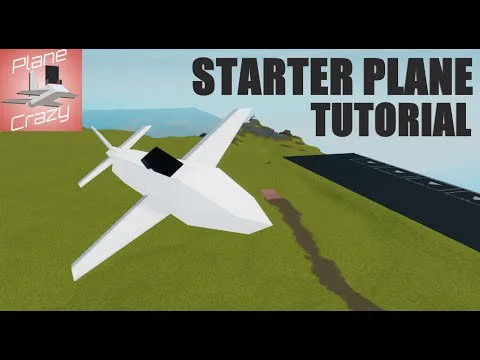
The first useful airplane in Plane Crazy is a straight fuselage with thrust, a seat, and lift that matches its weight. Looks can wait. The written starter below follows the basic build tutorial and the center-of-lift rule.
Before you place anything
Open the build tool. Face the same way as the large arrow painted on the plot. Building against that arrow is a known cause of later control problems. If infinite fuel is disabled in settings, plan on fuel tanks as well. With the default infinite-fuel setting, tanks are optional.
A minimal airframe
- In basic building blocks, place a straight row of blocks for the fuselage. The starter tutorial uses six blocks. A longer row is fine if both sides stay even. Keep this first plane one block wide.
- Add a Propeller Engine for thrust. The small propeller is the weakest engine family and has two blades. The standard Propeller Engine is faster, has more thrust, and has three blades. Put thrust on the centerline so the plane does not yaw itself in circles.
- Add one Main Pilot Seat. You need that seat to launch. A normal seat does not replace it unless the build has no main seat at all, in which case a regular seat can be promoted. Do not sit in the main seat yet.
- Open the wing section and add control surfaces. The grey side faces backward. If it faces forward, pitch and roll inputs invert. More control surfaces make the plane more maneuverable, but they are not your main lift. Control panels provide less lift than wing panels.
- Add wing panels on both sides until the blue sphere, center of lift, overlaps the yellow sphere, center of mass. Move wings a little at a time. A large gap between the spheres is why a new plane flips or pitches straight into the ground. Flight is still possible without a perfect overlap, but overlap is the stable target.
- Press the green launch control from outside the seat. Raise throttle with W. If the nose hunts up and down, move lift toward the mass sphere before you add more engine.
What success looks like
The plane leaves the plot, holds a shallow climb, and responds when you steer, without instantly inverting. Use flip if you do end up upside down. Use return when you want the build back on the plot.
What to change next, and what to ignore
Symmetric thrust matters more than a second engine. A jet is stronger than a propeller and can come later. A huge jet is a 3 by 3 part and is a poor first engine. One parts writeup says its thrust-to-weight stays under 1, so standing it on end will not hover the plane.
Horizontal wing panels near the nose are a builder tuning trick when a fast plane sinks: they add lift and turn rate and they also add drag. Vertical panels near the nose are used when the nose wanders left and right. Wing panels themselves are draggy, so a simple outline usually flies faster than a solid slab of wing.
If the only problem is no upward acceleration at full throttle, you are short of lift or thrust, not short of decoration. Read the balance guide before you rebuild the whole fuselage.